
This quick-start guide shows how to set up a radiance measurement in OceanView, from selecting the correct wizard to configuring calibration and measurement settings for accurate results.
Quick Setup Summary
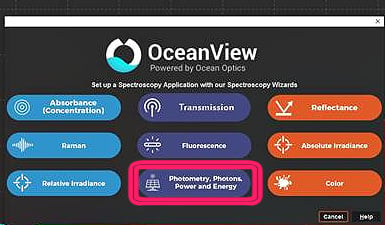
- Select Photometry, Photons, Power and Energy wizard
- Load irradiance or radiance calibration file
- Capture background spectrum
- Set calculation and integration parameters
- Enter correct solid angle
- Adjust Y-axis for radiance measurements
What You’ll Need
Spectrometer
Calibration File
Fiber and/or Sampling Accessory
Launch the OceanView Wizard
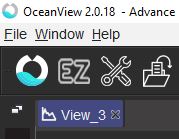
Click the OceanView icon in the upper-left corner to open the Wizard menu and select the Photometry, Photons, Power and Energy.
Set Acquisition Settings
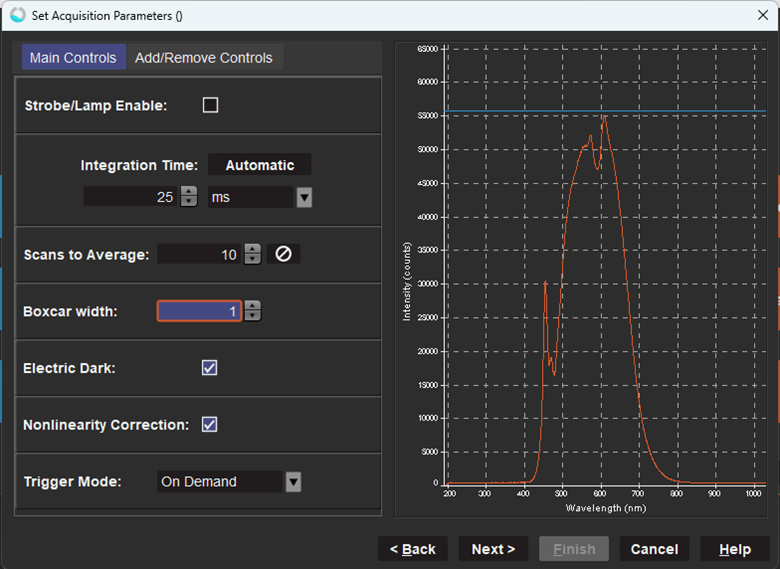
Select New Absolute Irradiance Processing and click Next.
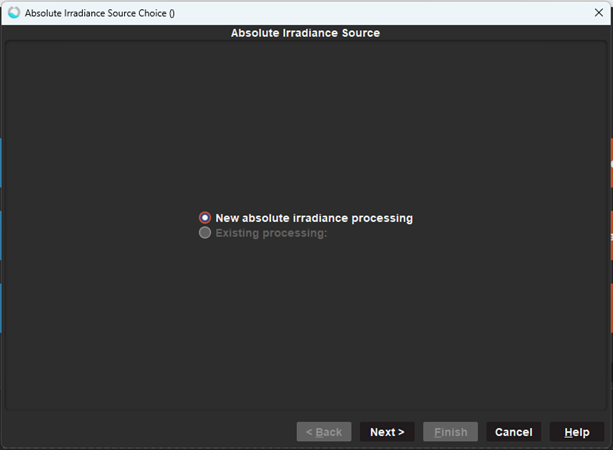
Set the acquisition parameters to optimize signal, then click Next.
Load Calibration File
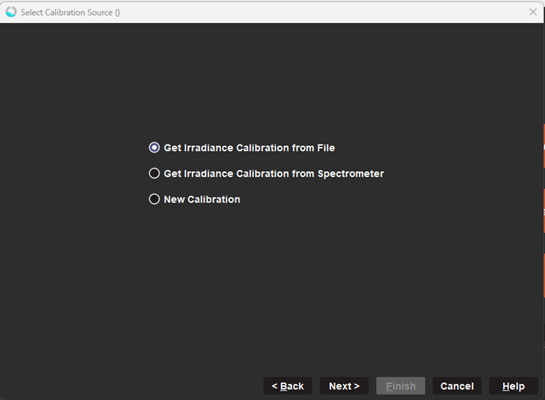
Select Get Irradiance Calibration from File, then click Next.
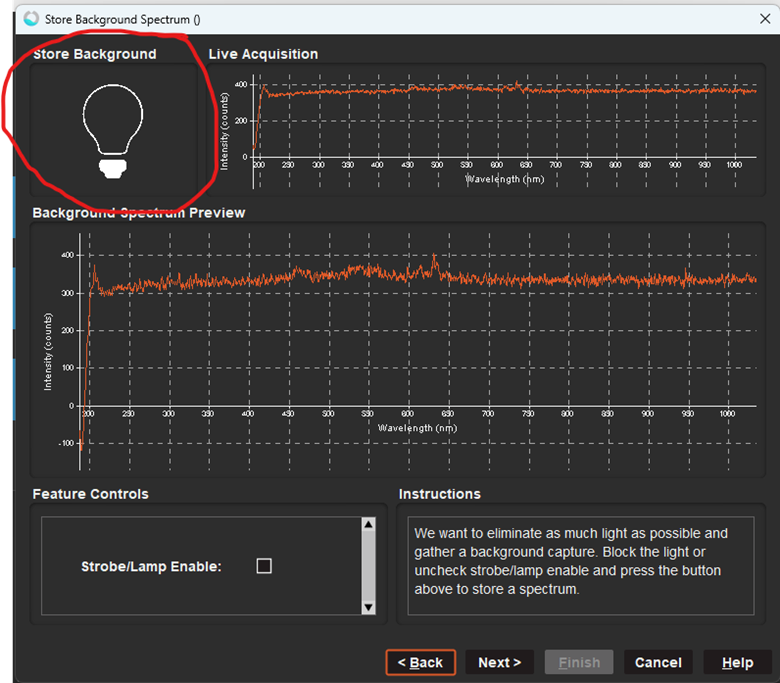
Capture Background Measurement
Click the dark lightbulb labeled Store Background to take your dark measurement. Once the Background Spectrum Preview shows your dark spectrum, click Next.
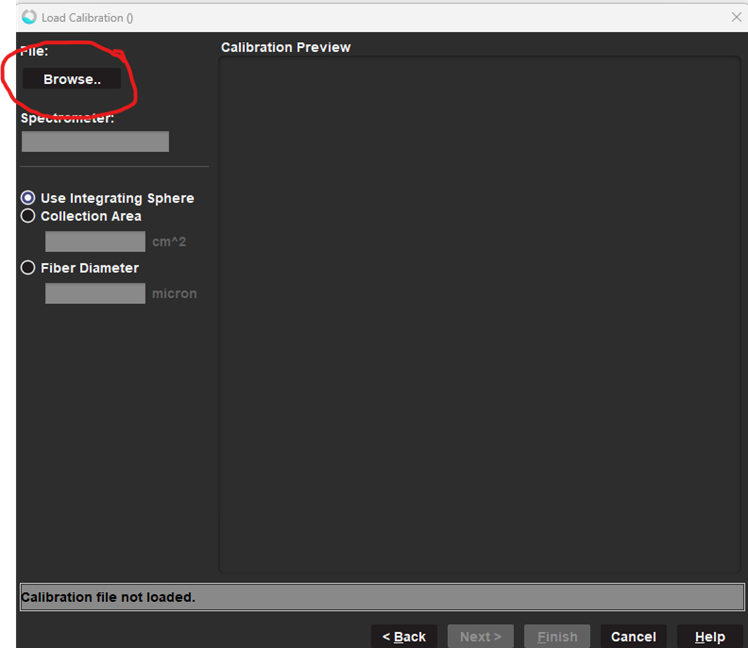
Click Browse.. and select the correct calibration file.
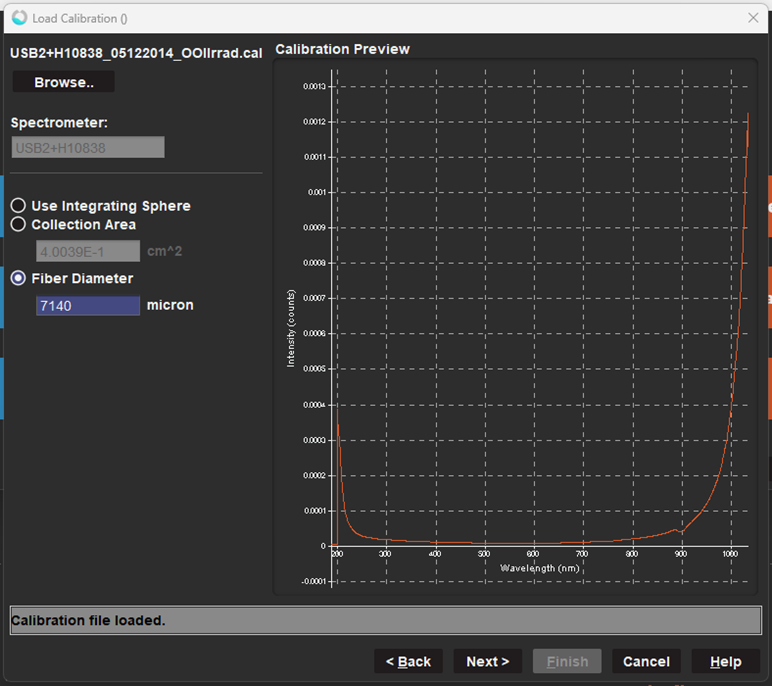
After you open the calibration file, OceanView should automatically populate the Collection Area and/or Fiber Diameter fields and display the Calibration Preview. Then click Next.
Select Calculations and Integration Settings
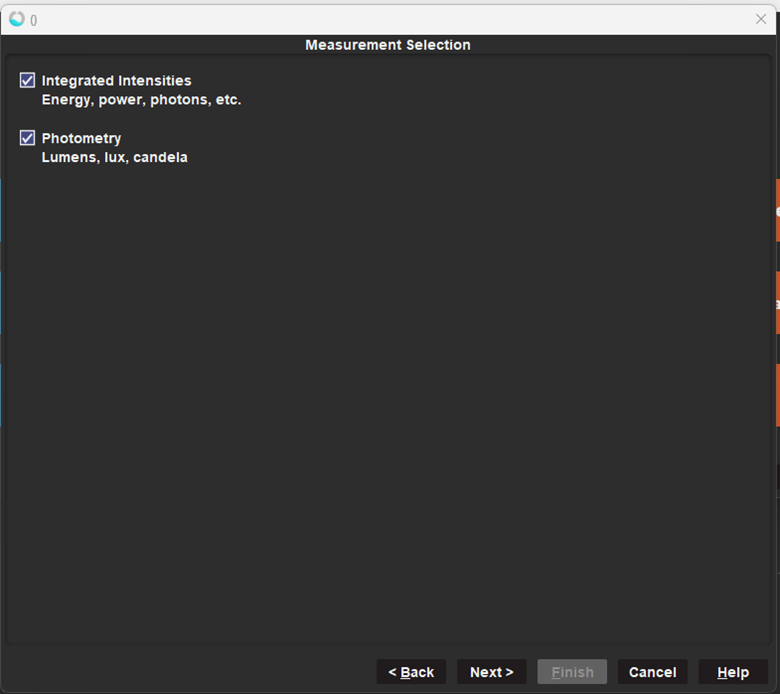
Select the checkboxes for the desired calculations then click Next.
Note: For this example, we selected both to show the full process, but you do not have to select both.
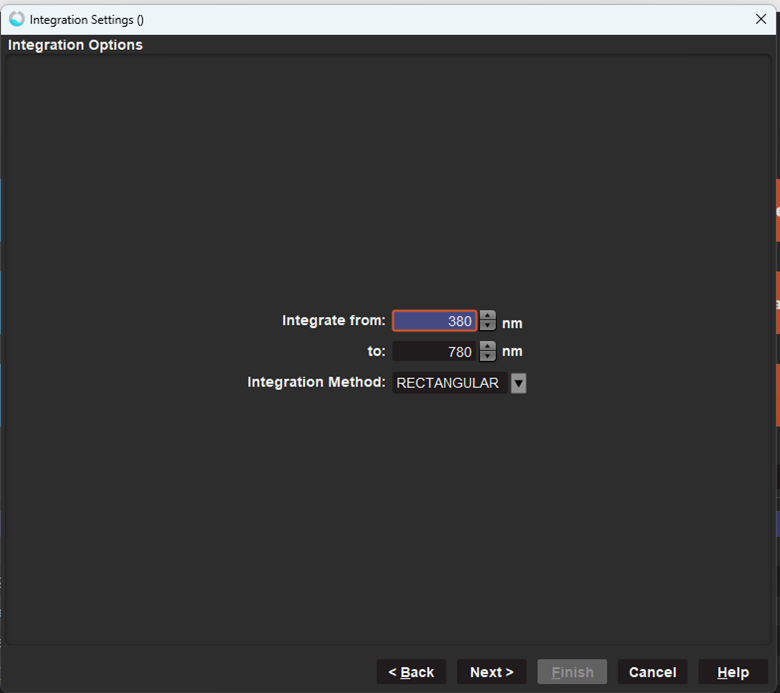
For integrated intensities (power, energy and photons), select the wavelength range to integrate across and the integration method and then click Next.
Note: This option only shows up if you have checked the box for integrated intensities (power, energy and photons).
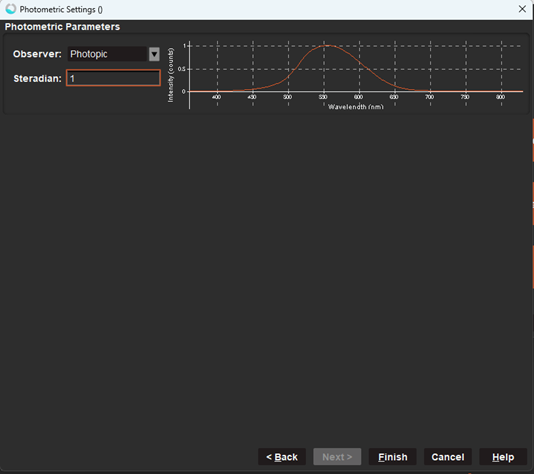
Enter Solid Angle
Enter the solid angle (steradians) and then click Finish.
Important Notes
This option only shows up if you have checked the box for Photometry (lumens, lux, candela).
Radiance Calibration File
If using a radiance calibration file (units: µJ/count/sr),
enter 1 for the steradians.
Irradiance Calibration File
If using an irradiance calibration file (units: µJ/count), enter the appropriate solid angle for your optical setup, then click Finish.
Solid Angle Considerations for Irradiance Calibrations
Although a cosine corrector has a nominal acceptance of π sr, the effective solid angle is limited by the angular extent of the source. If the source does not fill the hemisphere, the effective solid angle will be less than π sr.
Solid angle of a 0.22 NA bare fiber: ~0.154 sr (must ensure the FOV of the fiber is overfilled)
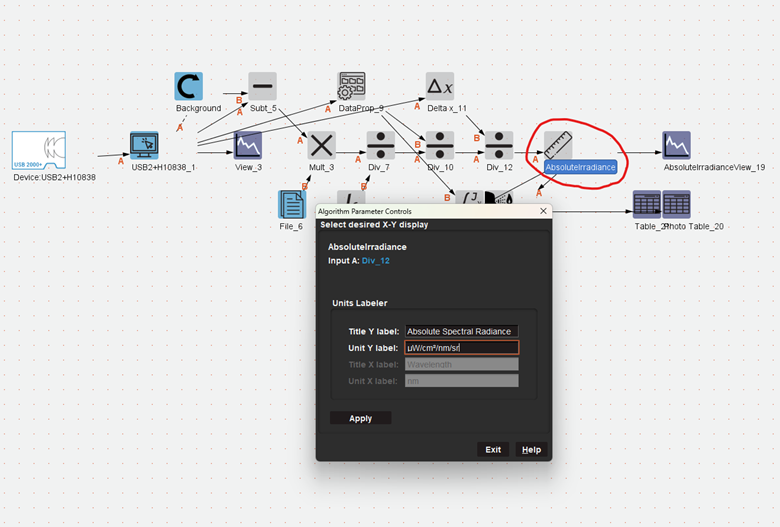
OceanView does not automatically recognize radiance calibration files (units: µJ/count/sr). You must update the Y-axis manually.
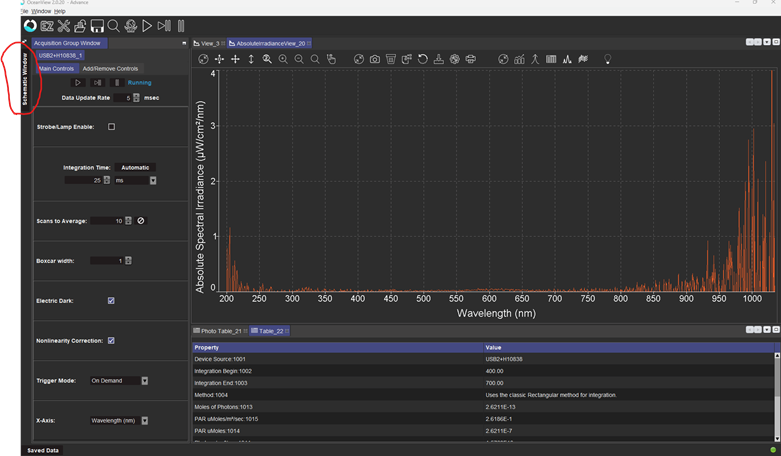
ONLY If You Use a Radiance Calibration: Adjust Y-Axis for Radiance Measurements
- Open the Schematic Window
- Locate and double-click the Absolute Irradiance node
- Update:
- Title Y label: Absolute Spectral Radiance
- Unit Y label: µW/cm²/nm/sr
- Click Apply, then Exit
STEP 1
STEP 2, 3, 4.
You’re now ready to begin collecting radiance measurements in OceanView. Save your configuration to reuse the setup in future experiments.
Need help? Contact our Technical Support team for assistance.